
[[block:idwidget-0]]<link rel="stylesheet" href="https://fonts.googleapis.com/css2?family=Lato:wght@400;700;900&display=swap"><style> html,body{margin:0;padding:0;background:transparent;} #idwf2{max-width:920px;margin:0 auto;font-family:'Lato','Helvetica Neue',Arial,sans-serif;color:#000;background:#fff;border:1px solid #DDDCD8;border-radius:14px;padding:30px 36px 32px;box-sizing:border-box;} #idwf2 *{box-sizing:border-box;} #idwf2 .iw-radio{position:absolute;width:1px;height:1px;opacity:0;overflow:hidden;clip:rect(0 0 0 0);} #idwf2 .iw-eyebrow{font-weight:900;font-size:11px;color:#0B5E40;text-transform:uppercase;letter-spacing:0.14em;} #idwf2 .iw-grid{display:grid;grid-template-columns:repeat(auto-fit,minmax(120px,1fr));gap:10px;margin-top:16px;} #idwf2 .iw-step{display:block;text-align:center;border:1px solid #DDDCD8;border-radius:12px;padding:18px 8px;cursor:pointer;transition:transform .15s ease,box-shadow .15s ease,border-color .15s ease,background-color .15s ease,opacity .15s ease;} #idwf2 .iw-ic{display:inline-flex;width:46px;height:46px;border:2px solid #27DB9A;border-radius:50%;align-items:center;justify-content:center;color:#0B5E40;transition:background-color .15s ease,color .15s ease;} #idwf2 .iw-name{font-weight:900;font-size:14px;margin-top:10px;} #idwf2 .iw-panels{margin-top:14px;} #idwf2 .iw-panel{background:#F7F7F6;border:1px solid #DDDCD8;border-radius:12px;padding:16px 18px;min-height:58px;display:none;align-items:center;gap:14px;} #idwf2 .iw-default{display:flex;} #idwf2 .iw-pnum{flex:0 0 auto;width:30px;height:30px;background:#27DB9A;color:#000;border-radius:50%;display:inline-flex;align-items:center;justify-content:center;font-weight:900;font-size:14px;} #idwf2 .iw-ptext{font-size:14px;line-height:1.5;color:#2A2A28;} #idwf2 .iw-ptext strong{font-weight:900;color:#000;} #idwf2 .iw-hint{font-size:14px;color:#8E8D87;font-weight:700;} #idwf2 .iw-step:hover{border-color:#27DB9A;background:#F0FCF7;transform:translateY(-3px);box-shadow:0 8px 20px rgba(0,0,0,.10);opacity:1;} #idwf2 .iw-step:hover .iw-ic{background:#27DB9A;color:#000;} #idwf2-s1:checked~.iw-grid .iw-c2,#idwf2-s1:checked~.iw-grid .iw-c3,#idwf2-s1:checked~.iw-grid .iw-c4,#idwf2-s1:checked~.iw-grid .iw-c5,#idwf2-s1:checked~.iw-grid .iw-c6,#idwf2-s2:checked~.iw-grid .iw-c1,#idwf2-s2:checked~.iw-grid .iw-c3,#idwf2-s2:checked~.iw-grid .iw-c4,#idwf2-s2:checked~.iw-grid .iw-c5,#idwf2-s2:checked~.iw-grid .iw-c6,#idwf2-s3:checked~.iw-grid .iw-c1,#idwf2-s3:checked~.iw-grid .iw-c2,#idwf2-s3:checked~.iw-grid .iw-c4,#idwf2-s3:checked~.iw-grid .iw-c5,#idwf2-s3:checked~.iw-grid .iw-c6,#idwf2-s4:checked~.iw-grid .iw-c1,#idwf2-s4:checked~.iw-grid .iw-c2,#idwf2-s4:checked~.iw-grid .iw-c3,#idwf2-s4:checked~.iw-grid .iw-c5,#idwf2-s4:checked~.iw-grid .iw-c6,#idwf2-s5:checked~.iw-grid .iw-c1,#idwf2-s5:checked~.iw-grid .iw-c2,#idwf2-s5:checked~.iw-grid .iw-c3,#idwf2-s5:checked~.iw-grid .iw-c4,#idwf2-s5:checked~.iw-grid .iw-c6,#idwf2-s6:checked~.iw-grid .iw-c1,#idwf2-s6:checked~.iw-grid .iw-c2,#idwf2-s6:checked~.iw-grid .iw-c3,#idwf2-s6:checked~.iw-grid .iw-c4,#idwf2-s6:checked~.iw-grid .iw-c5{opacity:.55;} #idwf2-s1:checked~.iw-grid .iw-c1,#idwf2-s2:checked~.iw-grid .iw-c2,#idwf2-s3:checked~.iw-grid .iw-c3,#idwf2-s4:checked~.iw-grid .iw-c4,#idwf2-s5:checked~.iw-grid .iw-c5,#idwf2-s6:checked~.iw-grid .iw-c6{border-color:#27DB9A;background:#F0FCF7;transform:translateY(-3px);box-shadow:0 8px 20px rgba(0,0,0,.10);} #idwf2-s1:checked~.iw-grid .iw-c1 .iw-ic,#idwf2-s2:checked~.iw-grid .iw-c2 .iw-ic,#idwf2-s3:checked~.iw-grid .iw-c3 .iw-ic,#idwf2-s4:checked~.iw-grid .iw-c4 .iw-ic,#idwf2-s5:checked~.iw-grid .iw-c5 .iw-ic,#idwf2-s6:checked~.iw-grid .iw-c6 .iw-ic{background:#27DB9A;color:#000;} #idwf2-s1:checked~.iw-panels .iw-default,#idwf2-s2:checked~.iw-panels .iw-default,#idwf2-s3:checked~.iw-panels .iw-default,#idwf2-s4:checked~.iw-panels .iw-default,#idwf2-s5:checked~.iw-panels .iw-default,#idwf2-s6:checked~.iw-panels .iw-default{display:none;} #idwf2-s1:checked~.iw-panels .iw-p1,#idwf2-s2:checked~.iw-panels .iw-p2,#idwf2-s3:checked~.iw-panels .iw-p3,#idwf2-s4:checked~.iw-panels .iw-p4,#idwf2-s5:checked~.iw-panels .iw-p5,#idwf2-s6:checked~.iw-panels .iw-p6{display:flex;} </style><div id="idwf2"> <div class="iw-eyebrow">The workflow, end to end</div> <input class="iw-radio" type="radio" name="idwf2-step" id="idwf2-s1"> <input class="iw-radio" type="radio" name="idwf2-step" id="idwf2-s2"> <input class="iw-radio" type="radio" name="idwf2-step" id="idwf2-s3"> <input class="iw-radio" type="radio" name="idwf2-step" id="idwf2-s4"> <input class="iw-radio" type="radio" name="idwf2-step" id="idwf2-s5"> <input class="iw-radio" type="radio" name="idwf2-step" id="idwf2-s6"> <div class="iw-grid"> <label class="iw-step iw-c1" for="idwf2-s1"> <span class="iw-ic"><svg width="22" height="22" viewBox="0 0 24 24" fill="none" stroke="currentColor" stroke-width="2" stroke-linecap="round" stroke-linejoin="round"><circle cx="11" cy="11" r="7"></circle><line x1="21" y1="21" x2="16.65" y2="16.65"></line></svg></span> <div class="iw-name">Analyze</div> </label> <label class="iw-step iw-c2" for="idwf2-s2"> <span class="iw-ic"><svg width="22" height="22" viewBox="0 0 24 24" fill="none" stroke="currentColor" stroke-width="2" stroke-linecap="round" stroke-linejoin="round"><circle cx="12" cy="12" r="9"></circle><circle cx="12" cy="12" r="5"></circle><circle cx="12" cy="12" r="1.4" fill="currentColor"></circle></svg></span> <div class="iw-name">Objectives</div> </label> <label class="iw-step iw-c3" for="idwf2-s3"> <span class="iw-ic"><svg width="22" height="22" viewBox="0 0 24 24" fill="none" stroke="currentColor" stroke-width="2" stroke-linecap="round" stroke-linejoin="round"><path d="M12 2.5 2.5 7 12 11.5 21.5 7 12 2.5Z"></path><path d="m2.5 17 9.5 4.5 9.5-4.5"></path><path d="m2.5 12 9.5 4.5 9.5-4.5"></path></svg></span> <div class="iw-name">Format</div> </label> <label class="iw-step iw-c4" for="idwf2-s4"> <span class="iw-ic"><svg width="22" height="22" viewBox="0 0 24 24" fill="none" stroke="currentColor" stroke-width="2" stroke-linecap="round" stroke-linejoin="round"><path d="M12 20h9"></path><path d="M16.5 3.5a2.12 2.12 0 0 1 3 3L7 19l-4 1 1-4Z"></path></svg></span> <div class="iw-name">Build</div> </label> <label class="iw-step iw-c5" for="idwf2-s5"> <span class="iw-ic"><svg width="22" height="22" viewBox="0 0 24 24" fill="none" stroke="currentColor" stroke-width="2" stroke-linecap="round" stroke-linejoin="round"><path d="M3 12a9 9 0 0 1 9-9 9.75 9.75 0 0 1 6.74 2.74L21 8"></path><path d="M21 3v5h-5"></path><path d="M21 12a9 9 0 0 1-9 9 9.75 9.75 0 0 1-6.74-2.74L3 16"></path><path d="M8 16H3v5"></path></svg></span> <div class="iw-name">Test & revise</div> </label> <label class="iw-step iw-c6" for="idwf2-s6"> <span class="iw-ic"><svg width="22" height="22" viewBox="0 0 24 24" fill="none" stroke="currentColor" stroke-width="2" stroke-linecap="round" stroke-linejoin="round"><path d="M3 3v18h18"></path><path d="M18 17V9"></path><path d="M13 17V5"></path><path d="M8 17v-3"></path></svg></span> <div class="iw-name">Measure</div> </label> </div> <div class="iw-panels"> <div class="iw-panel iw-default"><span class="iw-hint">Tap a step above to see what it involves.</span></div> <div class="iw-panel iw-p1"><span class="iw-pnum">1</span><div class="iw-ptext"><strong>Analyze the audience.</strong> Study who they are and find the gap between what they can do today and what they need to do.</div></div> <div class="iw-panel iw-p2"><span class="iw-pnum">2</span><div class="iw-ptext"><strong>Set objectives.</strong> Pin down measurable learning objectives — they steer every decision that follows.</div></div> <div class="iw-panel iw-p3"><span class="iw-pnum">3</span><div class="iw-ptext"><strong>Pick the format.</strong> Choose the right medium for the goal: self-paced eLearning, a live session, animation, or a VR scenario.</div></div> <div class="iw-panel iw-p4"><span class="iw-pnum">4</span><div class="iw-ptext"><strong>Build the experience.</strong> Storyboard the flow, write the on-screen text and narration, and partner with subject matter experts.</div></div> <div class="iw-panel iw-p5"><span class="iw-pnum">5</span><div class="iw-ptext"><strong>Test & revise.</strong> Run reviews, test with real users where possible, and revise based on the feedback.</div></div> <div class="iw-panel iw-p6"><span class="iw-pnum">6</span><div class="iw-ptext"><strong>Measure impact.</strong> Once it's live, check whether learners hit the objectives — then decide what to change next time.</div></div> </div> </div>[[/block]]
Instructional Design Explained: Models, History, and Practice
Good training rarely happens by accident. Behind a course that actually changes how someone works, there’s usually a deliberate plan for what to teach, in what order, and how to check that it stuck. That plan is the job of instructional design. This guide walks through what instructional design is, what the people who practice it do all day, where the discipline came from, and the frameworks that shape it.
What Is Instructional Design?
Instructional design is the practice of planning, building, and improving learning experiences so that people end up able to do something they couldn’t do before. It takes what research tells us about how people take in, store, and recall information and turns that into concrete materials: a course, a workshop, a video, a simulation, or a full training program. You’ll also see it called instructional systems design (ISD) or, more recently, learning design.
The defining feature is intent. A designer starts with a clear outcome, works out what learners already know, and then builds backward from the goal so every part of the experience earns its place. That outcome focus is what separates instructional design from simply gathering content and hoping people absorb it. The field draws on educational psychology, communication, and a healthy dose of project management, and it shows up everywhere from classrooms and universities to corporate safety training and onboarding.
What does an instructional designer do?
An instructional designer turns raw subject knowledge into a structured learning experience. The work usually begins long before any content gets written. The designer studies the audience, identifies the gap between what people can currently do and what they need to do, and pins down measurable learning objectives. Those objectives then steer every decision that follows.
From there, the designer chooses the right format for the goal and the audience, which might be self-paced eLearning, a live session, an animation, or a virtual reality scenario. They storyboard the flow, write the on-screen text and narration, and partner closely with subject matter experts to keep the content accurate.
Much of the build happens in authoring tools, after which the designer runs reviews, tests the material with real users where possible, and revises based on what comes back. Once the training is live, the job shifts to measurement: did learners hit the objectives, and what should change next time? In practice, a designer spends a lot of time translating between two groups who don’t always speak the same language, the experts who know the content and the learners who need to use it.
{block:idwidget-0}
History of Instructional Design
Instructional design grew out of urgent need. During World War II, the United States military had to train millions of recruits quickly and consistently, and it pulled in psychologists, educators, and filmmakers to build systematic training programs using film, job aids, and structured procedures. Researchers such as Robert Gagné, Leslie Briggs, and John Flanagan worked on these wartime efforts, and their approach, breaking complex jobs into smaller tasks and teaching each one deliberately, became the seed of the modern field.
After the war, that thinking moved into business and industry. The behaviorist ideas of B.F. Skinner shaped the 1950s, when his work on programmed instruction and teaching machines let learners move at their own pace with immediate feedback. The decade that followed produced several foundations still in use today.
Benjamin Bloom published his taxonomy of educational objectives in 1956. Donald Kirkpatrick laid out his four levels of training evaluation in 1959. Robert Mager popularized the idea of clearly written learning objectives in a 1962 work, and Gagné set down his influential learning theory in The Conditions of Learning in 1965.
The 1970s gave the field its most familiar shape. The Center for Educational Technology at Florida State University worked with a branch of the U.S. Army to produce a detailed training framework, the Interservice Procedures for Instructional Systems Development, published in 1975. That five-stage structure is the ancestor of what we now call ADDIE, though, as researcher Michael Molenda has documented, the ADDIE label itself appeared later and has no single identifiable author.
Through the 1980s and 1990s, constructivist ideas pushed designs toward learner-centered, problem-based experiences, while desktop computers and early computer-based training changed how courses were delivered. The internet then moved training online, learning management systems became standard, and reusable content formats like SCORM took hold.
More recent years have brought microlearning, mobile learning, and training built in virtual and augmented reality, with the COVID-19 pandemic sharply accelerating the shift to remote and digital learning.
Frameworks of Instructional Design
Over the decades, the field has produced a handful of frameworks that designers reach for again and again. They don’t all do the same thing, which is the key to understanding how they fit together. Some describe the end-to-end process of building training. Others describe what effective instruction should contain once you’re inside a lesson.
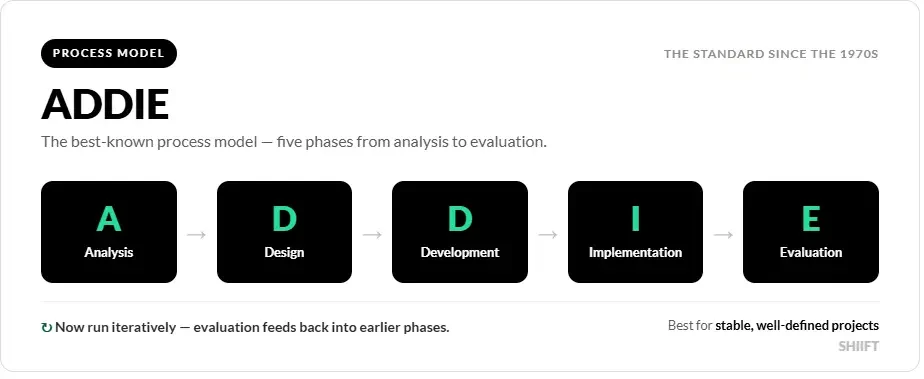
The ADDIE model is the best known. It’s a process model built around five phases: analysis, design, development, implementation, and evaluation. Originally treated as a strict sequence where each phase finished before the next began, it’s now used in a far more iterative way, with evaluation feeding back into earlier stages. ADDIE works well for well-defined, stable projects where the requirements are clear up front.
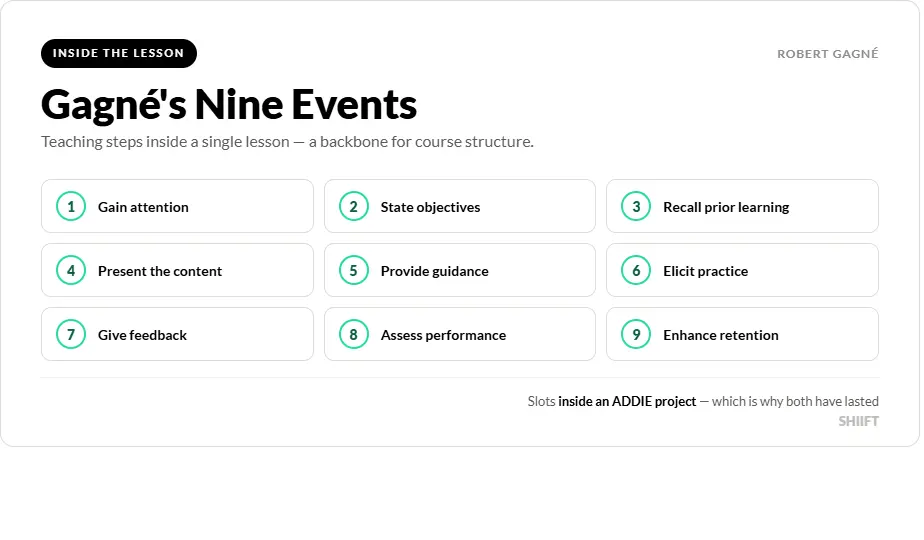
Gagné’s Nine Events of Instruction operates at a different level. Rather than mapping a whole project, it describes the sequence of teaching steps inside a single lesson or module, each one designed to support a mental process the learner has to go through. You can use Gagné’s events within an ADDIE project, which is part of why both have lasted so long. The nine events remain a common backbone for course structure.
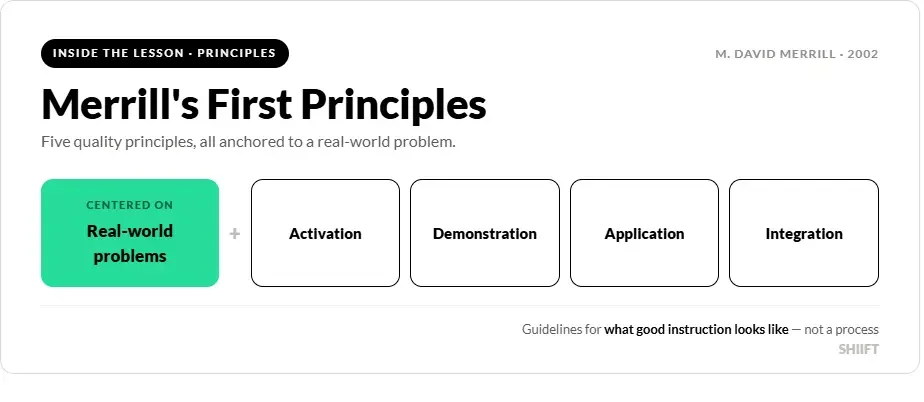
Merrill’s First Principles of Instruction, set out by M. David Merrill in a 2002 paper, takes yet another angle. Merrill reviewed many existing theories and distilled the points they agreed on into five principles centered on real-world problem solving. His principles are prescriptive guidelines for quality, not a step-by-step process, so they tell you what good instruction looks like rather than how to manage the build.
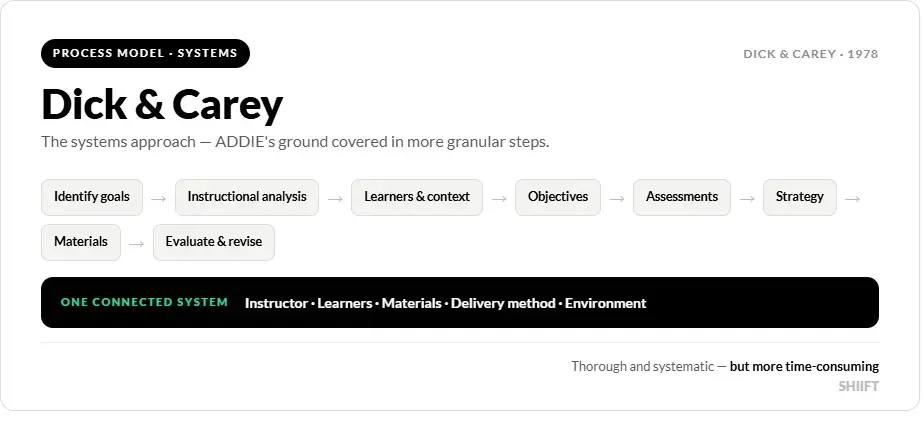
The Dick and Carey model, introduced by Walter Dick and Lou Carey in The Systematic Design of Instruction in 1978, is sometimes called the systems approach model. It covers the same ground as ADDIE but adds more granular steps and treats the instructor, learners, materials, delivery method, and environment as parts of one connected system that have to work together. It’s thorough, which also makes it more time-consuming than lighter approaches.
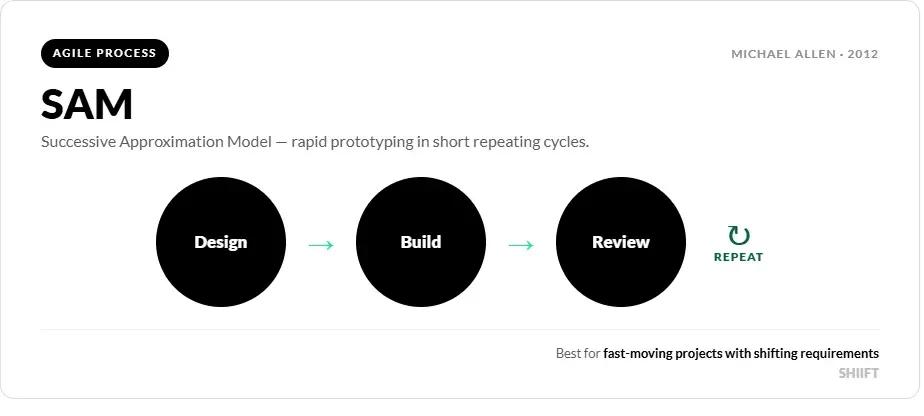
Finally, the Successive Approximation Model (SAM), popularized by Michael Allen in his 2012 book Leaving ADDIE for SAM, is an agile alternative born from frustration with rigid, linear processes. SAM relies on rapid prototyping and short cycles of design, build, and review, which suits fast-moving projects where the requirements are still shifting.
The clearest way to see the difference: ADDIE and Dick and Carey are end-to-end process maps, Gagné and Merrill describe what belongs inside the instruction itself, and SAM rethinks the process to be iterative rather than sequential.
Core Principles of Instructional Design
Strip these frameworks back and a shared logic appears. Whatever model a designer prefers, most good instruction rests on the same handful of ideas:
Start with analysis. Understand the learners, their existing knowledge, and the specific gap the training needs to close before building anything.
Write clear, measurable objectives, so both designer and learner know what success looks like.
Anchor learning in real tasks. People learn more when the content connects to problems they’ll actually face, and when new knowledge builds on what they already know.
Give learners a chance to practice and then act on feedback, rather than only reading or watching.
Assess against the original objectives, and use those results to evaluate and improve the next version.
The individual frameworks then organize those ideas in their own way. For quick reference, here are the main components of each.
ADDIE moves through five phases: analysis, design, development, implementation, and evaluation. Gagné’s Nine Events of Instruction run in this order:
Gain the learner’s attention.
Inform the learner of the objectives.
Stimulate recall of prior learning.
Present the content.
Provide learning guidance.
Elicit performance through practice.
Provide feedback.
Assess performance.
Enhance retention and transfer to the job.
Merrill’s First Principles rest on five points: instruction should be task-centered, then activate prior knowledge, demonstrate the new skill, let learners apply it, and help them integrate it into their own work and lives.
Dick and Carey works through a connected sequence that runs from identifying instructional goals, conducting an instructional analysis, and analyzing learners and context, through writing objectives and assessments, developing a strategy and materials, and finishing with formative and summative evaluation that loops back to revise the instruction.
SAM compresses the work into three repeating stages: preparation, iterative design, and iterative development, cycling through prototypes until the training hits its target.
Instructional Design Services
When building bespoke training for organizations in energy, construction, and manufacturing, with a focus on safety and technical skills. SHIIFT’s work spans custom eLearning, live-action and 2D/3D video, desktop simulations and virtual reality training, and clients have included the likes of ADNOC, Nutrien, and James Hardie.
What ties that range together is the instructional design process underneath it.
A SHIIFT project starts the way the frameworks above prescribe, by working alongside a client’s team to understand their actual equipment, processes, hazards, and the gap they’re trying to close. From that analysis the team shapes the content around the specific actions a worker needs to take, which mirrors the task-centered, problem-first thinking in Merrill’s principles and Gagné’s emphasis on practice and feedback.
For higher-risk training, virtual reality lets that practice happen safely. Instead of reading about a procedure, a worker can carry it out in a realistic, first-person simulation of their own worksite, make mistakes, and see the consequences without any danger to people or equipment.
SHIIFT typically builds its applications with separate modes so learners can study the procedure, rehearse it, and then be tested on it, which lines up neatly with the learn, practice, and assess steps that good instructional design calls for. Comprehension data is captured as the learner works through the content and fed back into the client’s learning management system, closing the evaluation loop and giving the design team the evidence they need to refine the next iteration.
That combination, careful analysis up front, content built around real tasks, room to practice without risk, and measurement that drives revision, is instructional design applied to the kinds of jobs where getting it wrong has real costs. If you’d like to talk through a training challenge, you can reach the team by sending a message below.
Solutions
Safety Training
Hazard recognition
Spot risks before incidents
/solutions/hazard-recognition-training
Solutions
Safety Training
Life-Saving Rules
Critical rules as decisions
/solutions/life-saving-rules-training
Solutions
Safety Training
Behavioral safety
Stop work authority, used
/solutions/behavioral-safety-training
Solutions
Safety Training
Hand safety
Fewer hand injuries
/solutions/hand-safety-training
Solutions
Safety Training
PPE selection & use
The right kit, worn right
/solutions/ppe-training
Solutions
Safety Training
H2S & gas awareness
The invisible hazard, visible
/solutions/h2s-gas-awareness-training
Solutions
Safety Training
Fire & emergency response
Beyond the routine drill
/solutions/fire-safety-emergency-response-training
Solutions
Safety Training
Toolbox talks
Five strong minutes weekly
/solutions/toolbox-talk-content
Solutions
Safety Training
Permit to work
PTW judgment scenarios
/solutions/permit-to-work-training
Solutions
Safety Training
Isolation & LOTO
Safe energy isolation
/solutions/isolation-lockout-tagout-training
Solutions
Safety Training
Confined space entry
Entries and rescue response
/solutions/confined-space-entry-training
Solutions
Safety Training
Working at height
Falls and dropped objects
/solutions/working-at-height-training
Solutions
Safety Training
Lifting & rigging
Safer critical lifts
/solutions/lifting-rigging-training
Solutions
Safety Training
Hot work
Sparks under control
/solutions/hot-work-training
Solutions
Safety Training
Line of fire
See the energy path
/solutions/line-of-fire-training
Solutions
Safety Training
Driver safety
Safer driving and journeys
/solutions/driver-safety-training
Solutions
Safety Training
Electrical safety
Safe isolation, arc flash aware
/solutions/electrical-safety-training
Solutions
Safety Training
Excavation work
Trenches and buried services
/solutions/excavation-safety-training
Solutions
Safety Training
Ergonomics
Strain prevention that sticks
/solutions/ergonomics-training
Solutions
Safety Training
Situational awareness
Noticing change on site
/solutions/situational-awareness-training
Solutions
Onboarding & People
Site orientation
Inductions before day one
/solutions/site-orientation-onboarding
Solutions
Onboarding & People
Expatriate workforce
Localized multilingual training
/solutions/expatriate-workforce-training
Solutions
Onboarding & People
Visitor inductions
Pre-arrival essentials
/solutions/visitor-induction-training
Solutions
Onboarding & People
Leadership training
Judgment, developed
/solutions/leadership-training
Solutions
Onboarding & People
Soft skills
Conversations that work
/solutions/soft-skills-training
Solutions
Onboarding & People
Safety leadership
Frontline supervisor skills
/solutions/safety-leadership-training
Solutions
Onboarding & People
Human factors
Error traps and defenses
/solutions/human-factors-training
Solutions
Operations & Technical
Process & procedures
Step-by-step competence
/solutions/process-procedure-training
Solutions
Operations & Technical
Operational readiness
Ready before start-up
/solutions/operational-readiness
Solutions
Operations & Technical
Technical training
Complex systems explained
/solutions/technical-training
Solutions
Operations & Technical
Control room & DCS
Alarms and upset response
/solutions/control-room-training
Solutions
Operations & Technical
Crane operation
Operators, banksmen, supervisors
/solutions/crane-operation-training
Solutions
Operations & Technical
Forklift operation
Operators, pedestrians, supervisors
/solutions/forklift-operation-training
Solutions
Operations & Technical
Maintenance & turnarounds
Outage preparation
/solutions/maintenance-turnaround-training
Solutions
Operations & Technical
Process safety
Barriers made visible
/solutions/process-safety-training
Solutions
Compliance & Modernization
Lessons learned (LFI)
Incidents into training
/solutions/lessons-learned-training
Solutions
Compliance & Modernization
Spill response
Environmental first response
/solutions/spill-response-training
Solutions
Compliance & Modernization
Hazardous materials
Storage, handling, transport
/solutions/hazardous-materials-training
Solutions
Compliance & Modernization
Security awareness
Physical and cyber vigilance
/solutions/security-awareness-training
Services
Content Production
Training Videos
Filmed through our global crew network
/services/workplace-safety-training-videos
A safety orientation film produced for Milestone Environmental Services.

Services
Content Production
2D & 3D Animation
Engineering-accurate visuals
/services/2d-3d-animation
From a 3D animation built to supplement an ADNOC e-learning module.

Services
Content Production
Safety Campaigns
Sustained behavior change
/services/safety-campaigns
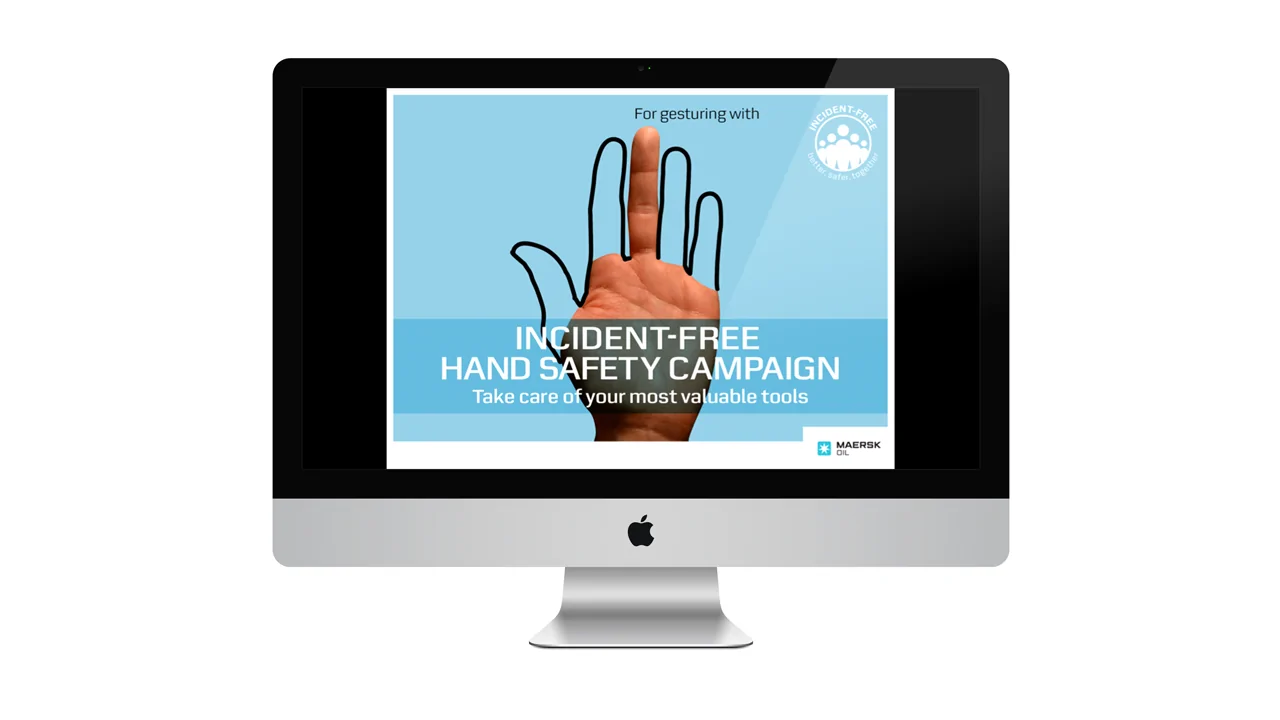
The award-recognized Maersk hand safety campaign.
Services
Content Production
Training posters & print
Site-specific print & visual aids
/services/training-posters
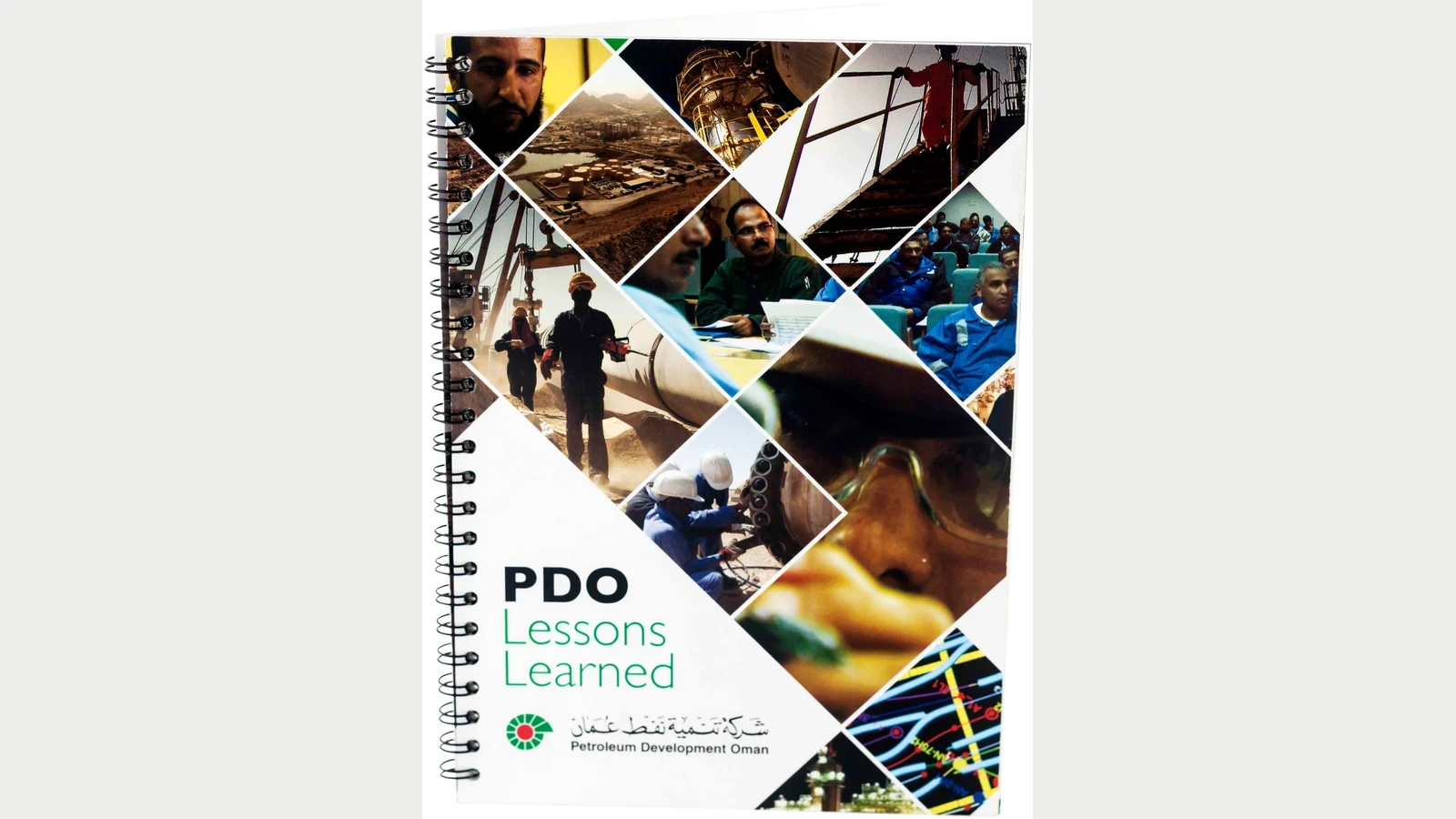
A printed lessons learned handbook produced for Petroleum Development Oman.
Services
Content Production
PowerPoint Materials
Trainer-led deck rebuilds
/services/powerpoint-training-materials
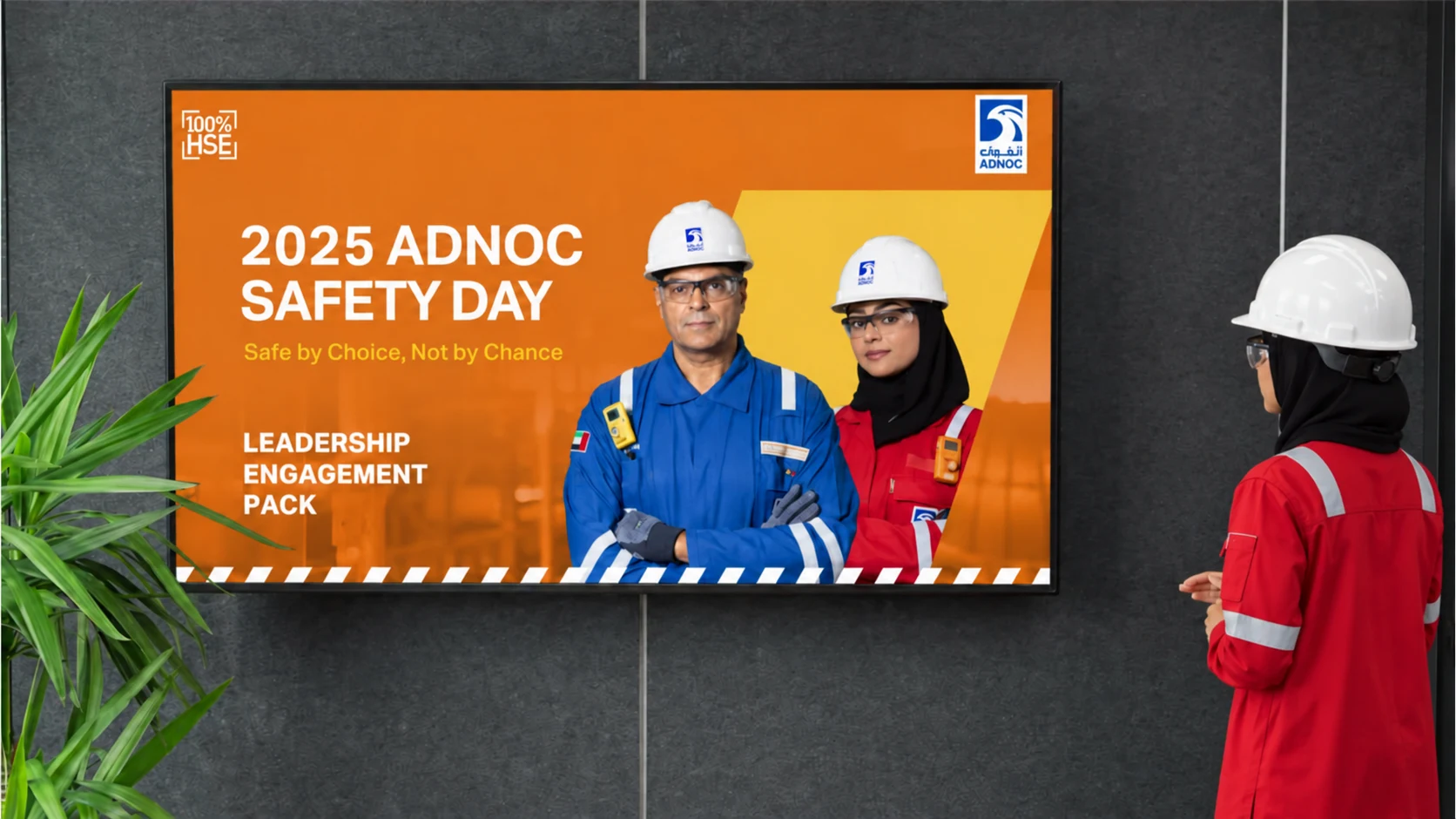
Presenting an ADNOC Safety Day engagement deck.
Services
Interactive Training
E-Learning
SCORM online modules
/services/e-learning
Scenario questions inside a client e-learning module.

Services
Interactive Training
Virtual Reality (VR)
Immersive headset training
/services/virtual-reality-vr-training
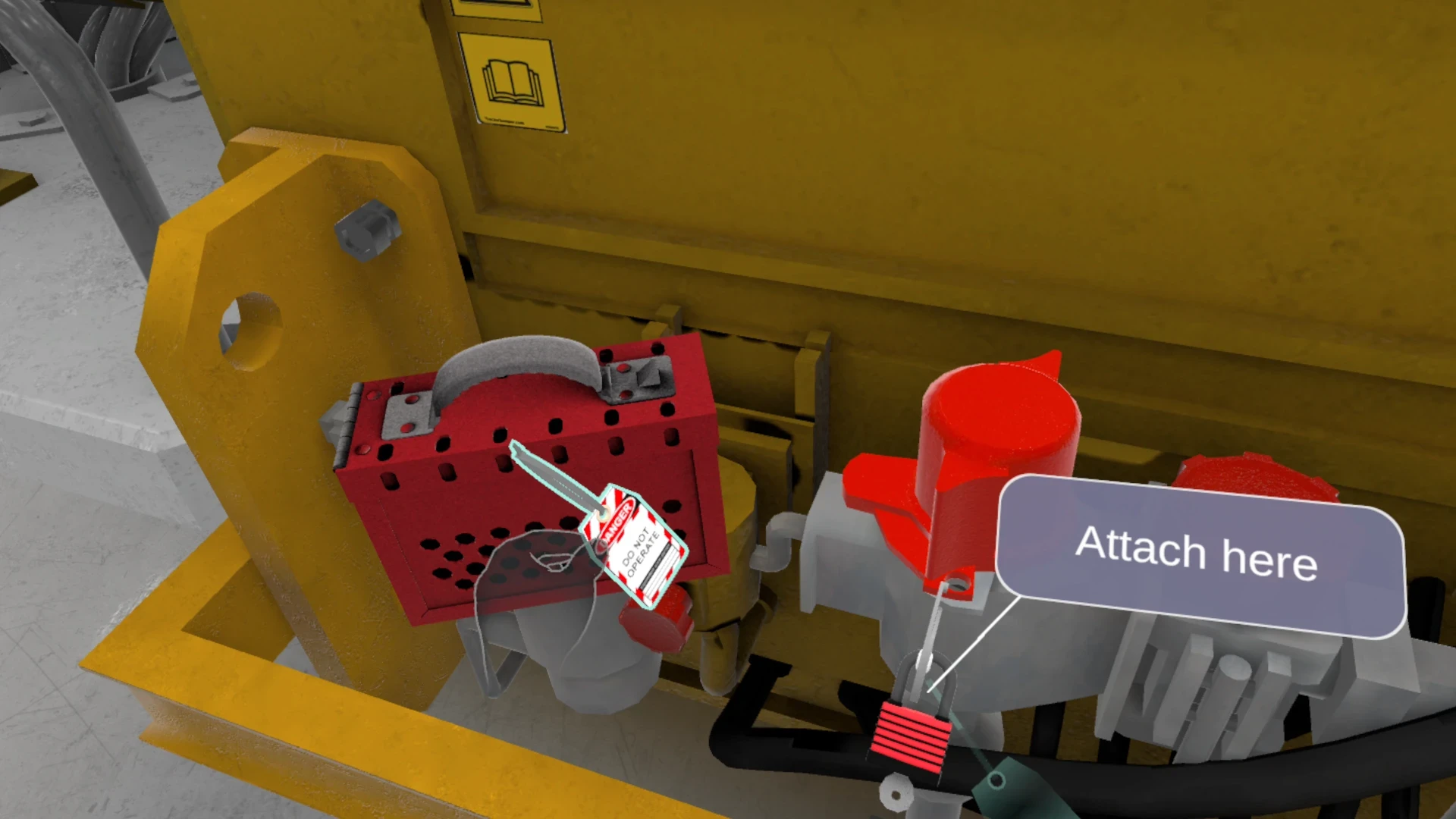
Lockout tagout training with full hand tracking in VR.
Services
Interactive Training
Flat-Screen Simulations
Desktop, web & mobile simulations
/services/flat-screen-simulation-training
SHIIFT simulations running on laptops and mobile devices.

Services
Interactive Training
Digital Twins
Navigable sites & equipment
/services/digital-twins
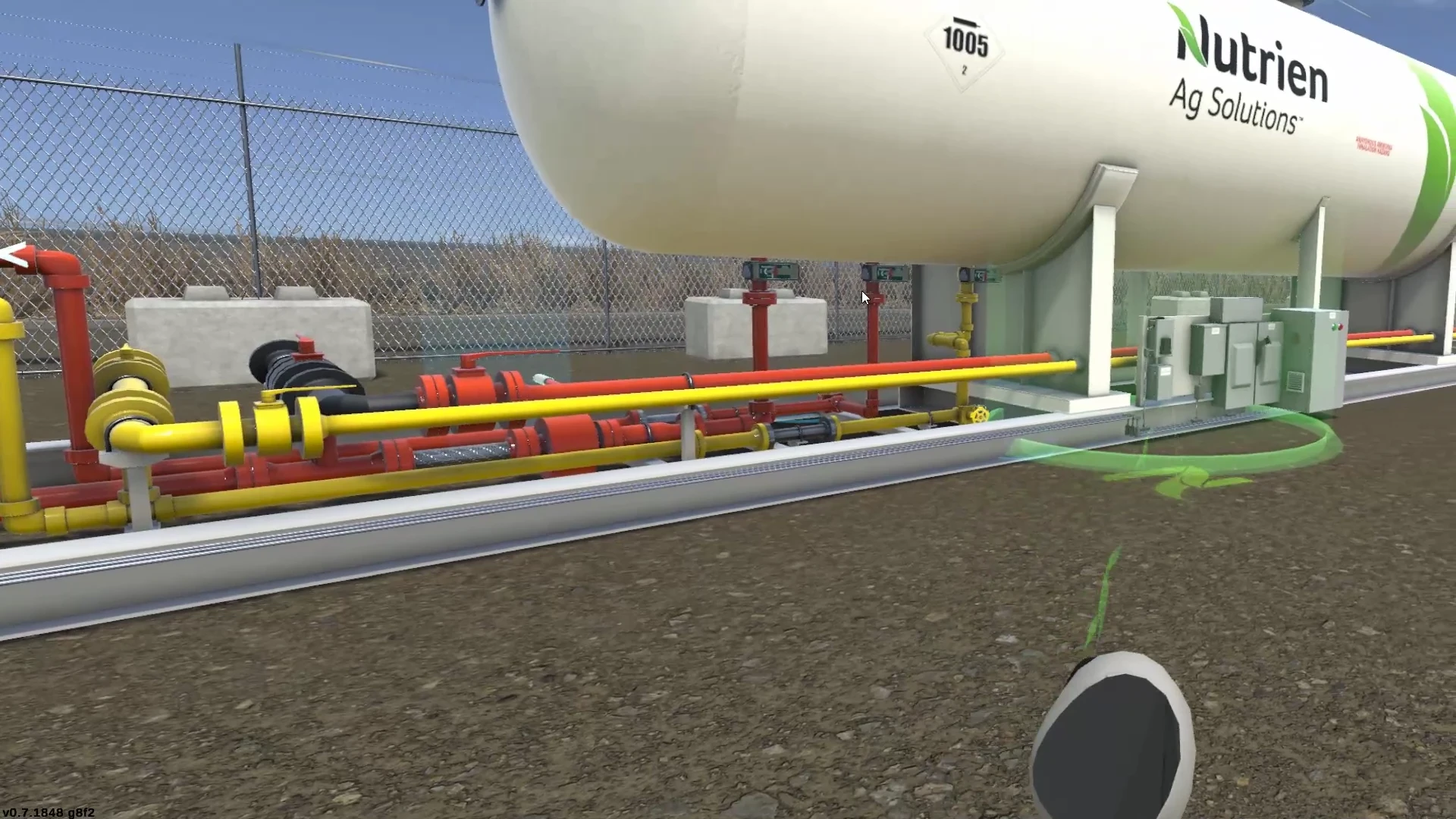
A navigable 3D replica of Nutrien's ammonia transfer plant.
Approach
How We Work
Our approach
Analysis, design, delivery, validation
/approach
Approach
How We Work
SCORM & LMS Integration
Tracking in your systems
/services/scorm-lms-integration
Approach
How We Work
Scenario-Based Assessments
Competency you can prove
/services/scenario-based-assessments