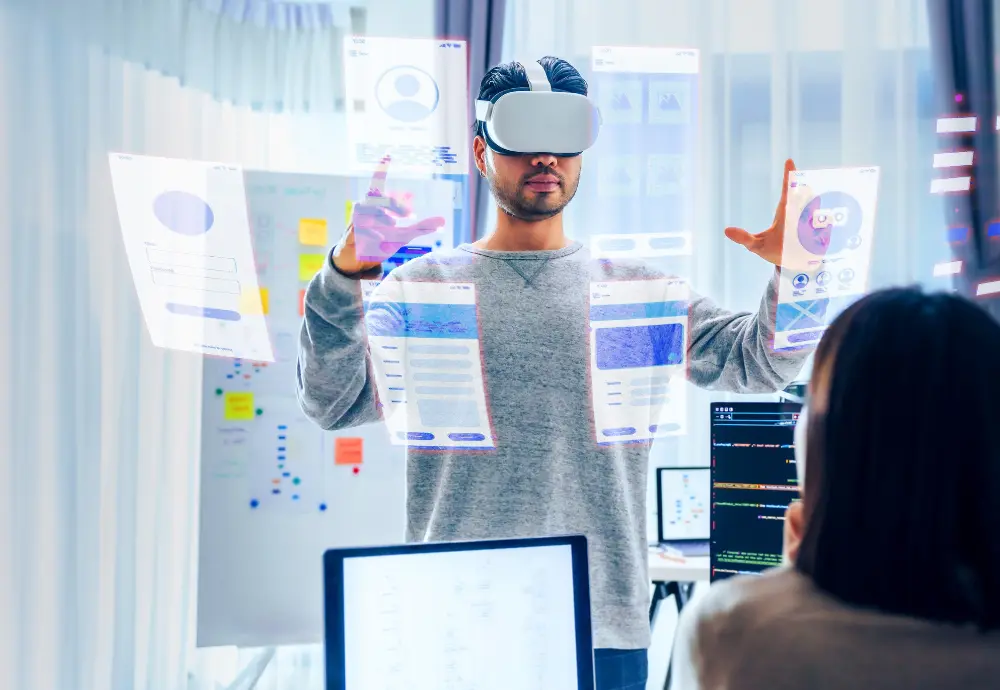
What are Virtual & Augmented Reality Headsets?
Before we begin, what exactly is a Virtual Reality (VR) headset? It’s a type of headgear that come with small but ultra high resolution screens positioned close to the user’s eyes to alter their perception of reality and tricking their brains into feeling as if they are truly in a different place or reality, hence the term virtual reality.
So then what’s an Augmented Reality (AR) headset? Similar to VR headsets, an AR headset is a type of headgear that position screens to a users eyes in order to alter how they see the world. The difference here is when someone is in a virtual reality, they are visually completely immersed in a virtual world. They can’t see anything from the real world, only their virtual hands, and whatever environment the VR headset has them in. Turning their head and looking around will have them looking around in the virtual world based on their real movements.
However, in augmented reality, it’s different in that you can still see the real world, so the screens are used to add visuals to ‘augment’ your real world experience. It overlays digital content into the real world. It’s the same way you see things now, but with the added ability to look at something and use hand gestures or eye-tracking controls to get more information. Imagine you can look at a product and see text float above it with information about it’s price, materials, cheap offers online for the item, etc. Or if you’re cooking a meal and want an AI cooking assistant to go through the recipe with you along the way.
Mixed reality (MR) is the advanced form of augmented reality which started out as just using a phone camera or glasses with limited capability, and can now be used more interactively and immersively. And extended reality (XR) is the catch-all term for all of these different reality altering technologies, VR, AR, MR, XR.
Best VR Headsets for Affordability
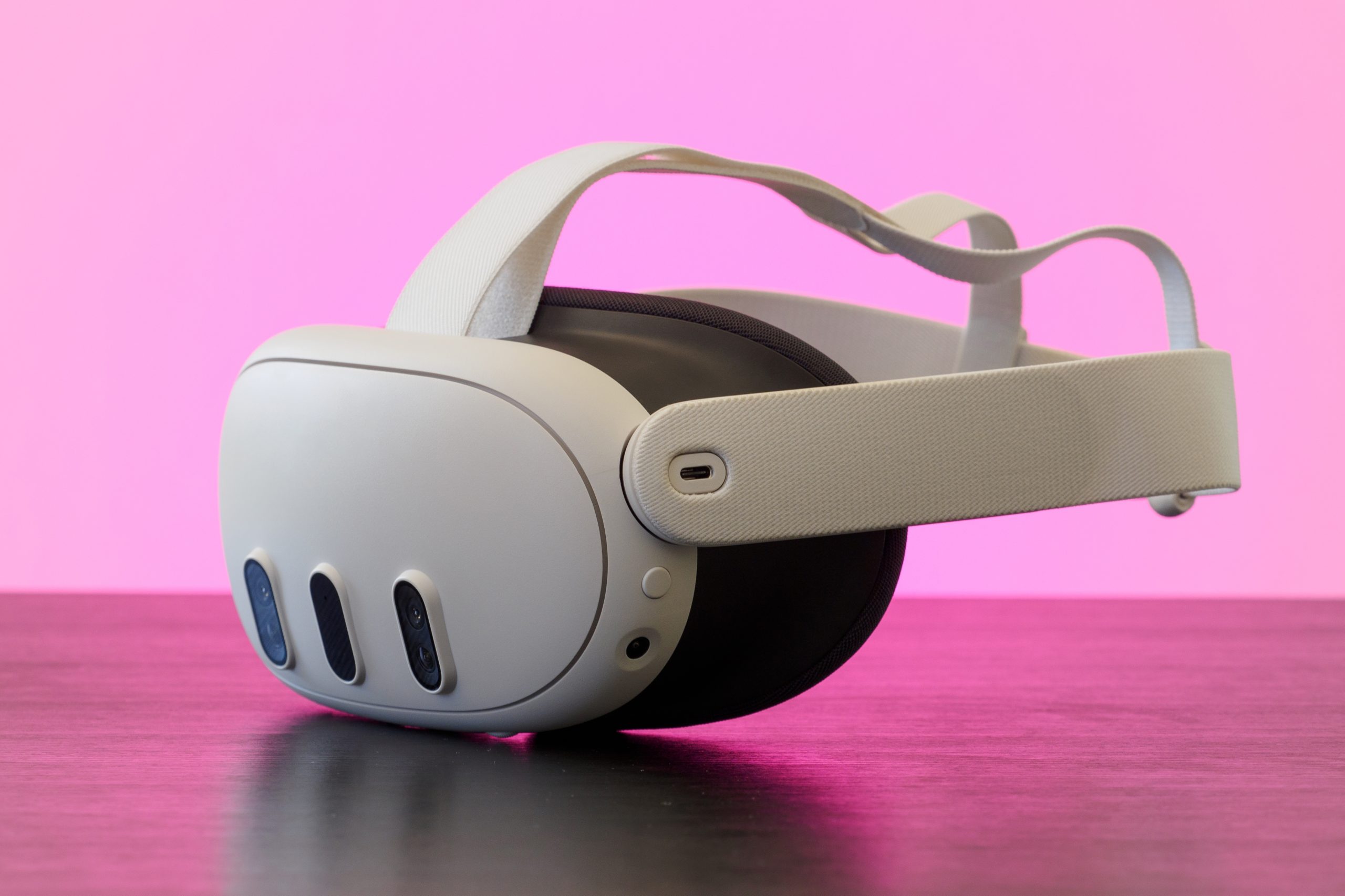
Meta Quest 3 Mixed Reality & VR Headset
The Meta Quest 3 is hands down the best affordable headset with a starting price of $500.
It’s a standalone headset which means it doesn’t require external sensors or a powerful gaming PC which can add a lot to expenses when wanting to use virtual reality.
It has a solid amount of applications available from the quest store as well as the capability to use PCVR software by tethering it to a gaming pc.
Meta Quest 3 Specs
Headset | Meta Quest 3 |
|---|---|
Resolution | 2064 x 2208 pixels per eye |
Display | Two LCD Screens |
Field of View | 110 degrees horizontal |
Controls | Physical Quest controllers that come with the headset |
Hardware | Processor: Qualcomm Snapdragon XR2 Gen 2 |
Wireless | Yes |
Price | $500 |
Weight | 515g |
Pros:
Affordable price range
Completely wireless
Access to quest store exclusives
Can run PCVR content, via Wi-Fi or link cable
Has built-in hand tracking
Uses cameras on the headset, so no need for external sensors
Can do virtual reality as well as augmented/mixed reality.
Cons:
Wirelessly streaming PCVR content can have latency issues which can also cause visual artifacts
Using a link cable for PCVR content can have slightly worse visual performance compared to traditional PCVR headsets using DisplayPort
Cannot track hands or controllers behind the player or from certain angles (Generally a non-issue)

{caption}Photo Credit: Trusted Reviews
{caption}Photo Credit: Trusted Reviews
Meta Quest 3S Mixed Reality & VR Headset
The Meta Quest 3S is the next best option for an affordable headset with an even cheaper starting price of $300.
Similarly to the Meta Quest 3, it’s a standalone headset so it doesn’t require any external sensors or a powerful gaming PC.
It can run all the same applications the Quest 3 can, but has a few downsides in that it’s missing a headphone jack, and has a slightly worse display, though it’s worth mentioning it also has a slightly longer battery life by about 20 minutes.
Meta Quest 3S Specs
Headset | Meta Quest 3S |
|---|---|
Resolution | 1832 x 1920 pixels per eye |
Display | One LCD Screen |
Field of View | 96 degrees horizontal |
Controls | Physical Quest controllers that come with the headset |
Hardware | Processor: Qualcomm Snapdragon XR2 Gen 2 |
Wireless | Yes |
Price | $300 |
Weight | 514g |
Pros:
Most affordable headset
Completely wireless
Access to quest store exclusives
Can run PCVR content, via Wi-Fi or link cable
Has built-in hand tracking
Uses cameras on the headset, so no need for external sensors
Can do virtual reality as well as augmented/mixed reality.
Cons:
Wirelessly streaming PCVR content can have latency issues which can also cause visual artifacts
Using a link cable for PCVR content can have slightly worse visual performance compared to traditional PCVR headsets using DisplayPort
Cannot track hands or controllers behind the player or from certain angles (Generally a non-issue)
Missing a headphone jack which is available on the Meta Quest 3.
Uses Fresnel lens which doesn’t produce as clear of an image as the more modern pancake lenses.
Best VR Headsets for Tracking Accuracy
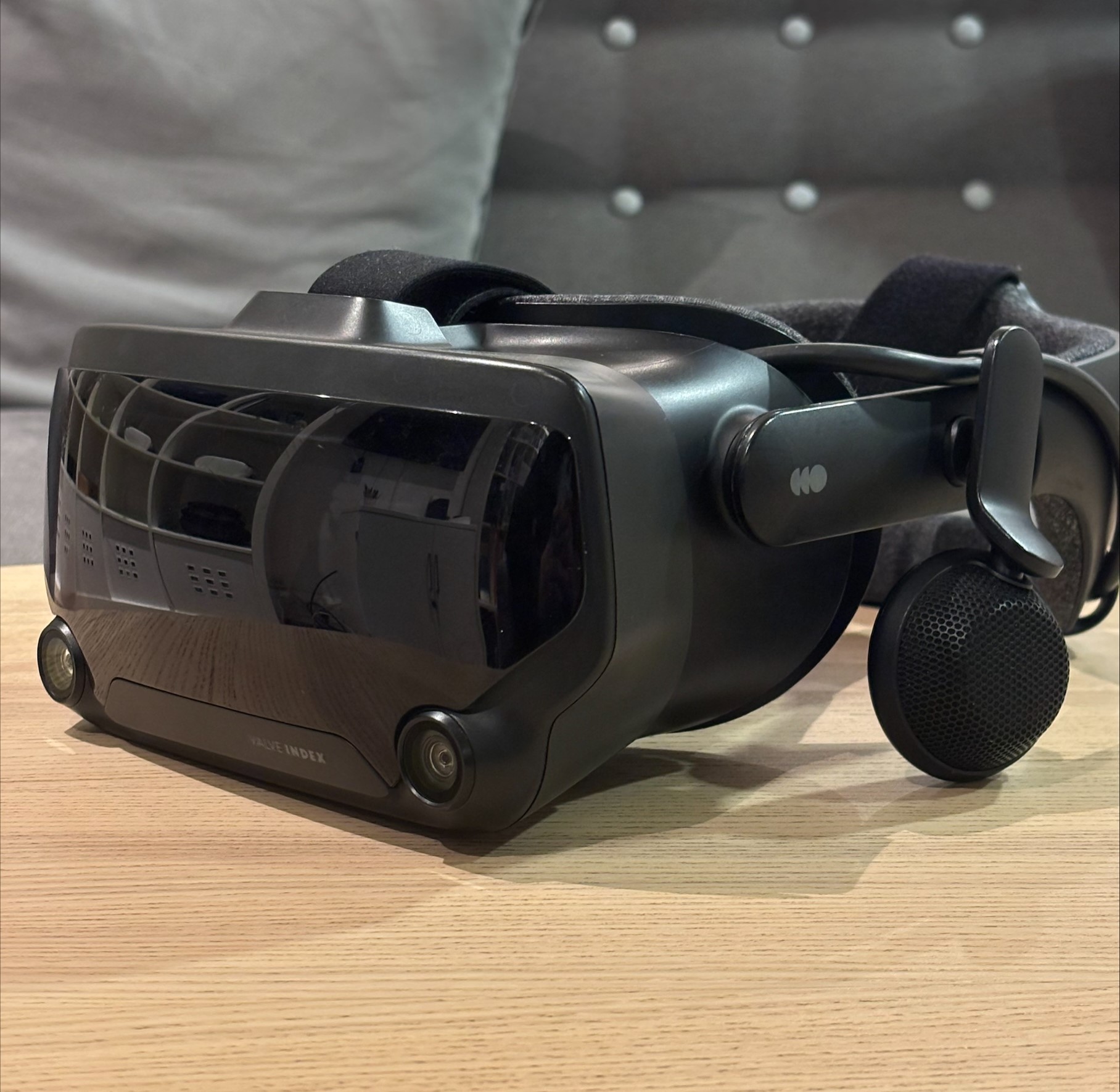
Valve Index VR Headset
The Valve Index has stood as the best quality virtual reality headset for a long time, with the price of $999 for the full kit not including a VR Ready PC. But this was before recent years where there are more affordable options that offer much better value for similar performance.
Valve Index requires external sensors called base stations, the base stations system are used across a variety of different VR headsets as they offer the most accurate tracking, based lasers which can track controller movements perfectly as long as there is a base station placed in a position it can see them.
They don’t have access to some Meta Quest store or PlayStation store exclusives, but can run anything on PCVR. Since it uses DisplayPort, it also means a slight increase in quality to those with a discerning eye.
Pros:
Valve Index Specs
Headset | Valve Index |
|---|---|
Resolution | 1440 x 1600 pixels per eye |
Display | Two LCD Screens |
Field of View | ~108 degrees horizontal |
Controls | Physical valve index controllers called valve knuckles, which have finger tracking. |
Hardware | Needs to be tethered to a high-end PC to be used |
Wireless | No |
Price | $999 for the Valve Index, Controllers, and 2 Base Stations |
Weight | 809g |
Higher quality visuals for PCVR compared to the cheaper options
Most accurate tracking system using base stations
High quality audio system
Higher refresh rate
Cons:
No built-in hand tracking
Uses Fresnel lens which doesn’t produce as clear of an image as the more modern pancake lenses.
Can’t be used for mixed reality
Requires powerful PC to be used
Requires cables which make it bulkier and messier
Heavier than the lightweight options
Bigscreen Beyond 2 VR Headset
Revealed in early 2025, the Bigscreen Beyond 2 is a really unique headset, it was designed to have the highest level of clarity while having the best comfortability of a VR headset too.
It’s an incredibly lightweight headset, and tailored each headset to be custom-built to the shape of the user that purchases it. This also helps in trapping light outside of the headset which is more of a challenge for the usual one size to fit all users approach.
While the headset has stunning visual quality and comfort, it comes at a much higher price point of $1019 ($1219 for the eyetracking edition) and buyers would need to purchase controllers and base stations separately which adds to the cost even more (~$500 – $600 not including the PC).
How does the Big Screen Beyond 2 compare to it’s predecessor, the original Big Screen Beyond?
With the Big Screen Beyond being discontinued since it’s sequel being released mid 2025, the creators of this extraordinary VR headset gave it some significant upgrades and solutions to the issues that were faced with it’s original.
Big Screen Beyond 2 is ~15% lighter than the original Big Screen Beyond, which was an already impressively lightweight VR headset
Comes with optional eyetracking features
Improved pancake lenses which resolved the issues with glare and lens flare in the original Big Screen Beyond, a massive upgrade to the immersiveness of the headset
Improved Field of Vision (FOV) from 102° to 116°
Improved range of adjustable IPD (Inter-pupillary distance, the distance between somebody’s eyes) which helps it be usable by a wider range of users
Bigscreen Beyond 2 Specs
Headset
Bigscreen Beyond 2
Resolution
2560 x 2560 pixels per eye
2560 pixels per inch
32 pixels per degreeDisplay
Two Micro OLED Screens
Pancake Lens
Up to 90 Hz refresh rateField of View
108 degrees horizontal
96 degrees vertical
116 degrees diagonalControls
Only controller options are third-party which need to be purchased separately from the headset.
Hand-tracking is only available through expensive third-party tech.Hardware
Needs to be tethered to a high-end PC to be used
Uses DisplayPort for highest quality PCVRWireless
No
Price
$1019 for the Bigscreen Beyond 2 VR Headset
An additional $200 for the Bigscreen Beyond 2e which adds eyetracking functionality
An extra ~$300 is needed for controllers
An extra ~$300 is needed for two base stations (Recommended)
~$500+ for a solid VR Ready PCWeight
107g
Pros:
Highest quality screens for PCVR (PCVR is the platform with the largest and most open library)
Uses accurate tracking system via base stations
Ultra high resolution
Custom-built to fit perfectly for users, removing any light bleeding into the headset.
Incredibly lightweight and comfortable thanks to the weight and custom built feature.
The Bigscreen Beyond 2e upgrades the base model to include state of the art eyetracking, available for an additional $200 raising the cost from $1019 to $1219.
Cons:
No hand tracking
Very expensive
Can’t be used for mixed reality
Requires a powerful PC to be used
Requires cables which make it bulkier and messier
Is more difficult to share the experience of VR due to the custom-built fit.
Best VR/AR/MR Headsets for Those With Lots to Spend
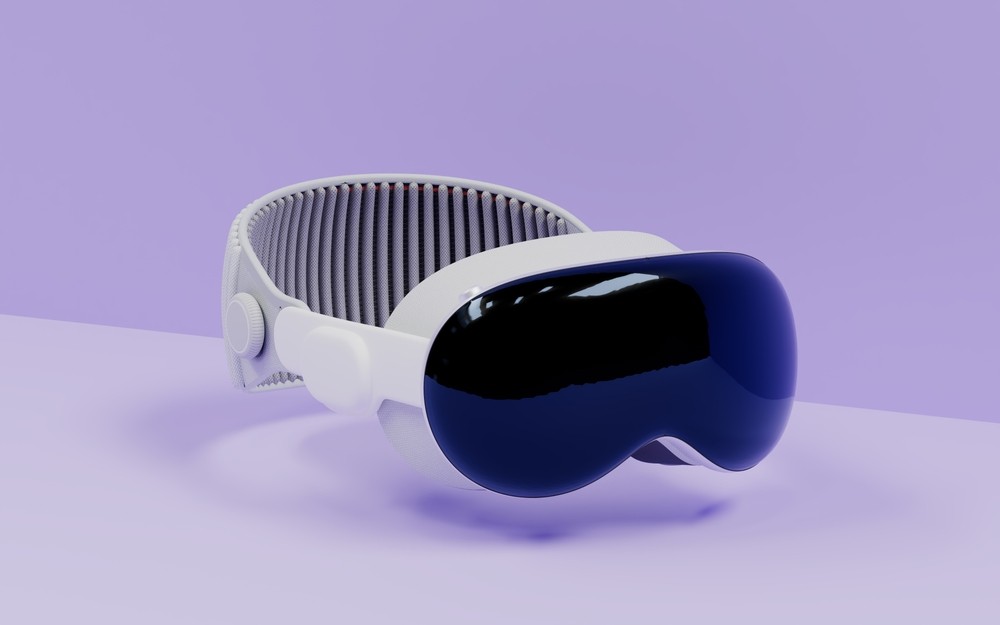
Apple Vision Pro Mixed Reality Headset
The Apple Vision Pro is a recent headset that caused a surge of excitement in VR community and mainstream communities when it was revealed in 2023. The mixed reality head set is one of a kind with an even better display then Bigscreen Beyond 2.
It’s controlled by eye movement and has the highest quality cameras and screens of any mixed reality headset. It also comes with a bunch of features that make it perfect for users of Apple products.
While it did take the world by storm after it was released, it’s incredibly expensive and unaffordable for most people at a starting price of $3499. It also not made to work with PCVR games which means it’s on it own ecosystem of Apple software and software needs to be developed specifically for Apple’s Vision OS.
Pros:
Apple Vision Pro Specs
Headset | Apple Vision Pro |
|---|---|
Resolution | 3660 x 3200 pixels per eye |
Display | Two Micro OLED Screens |
Field of View | ~100 degrees horizontal |
Controls | Hand Tracking |
Hardware | Apple M2 Chip |
Wireless | Yes |
Price | $3499 |
Weight | 600-650g depending on Light Seal and head band configuration |
Highest quality screens in a headset
Highest resolution on a VR/AR headset
Works with other Apple devices for creating extra screens
Hand and Eye tracking controls
Cons:
Very expensive
Standalone headset with it’s own software ecosystem, not the best option for VR gamers
On the heavier side compared to other choices
What’s the Best Headset for Me?
So, what’s the best headset for your specific needs? If you’re new to VR and interested in trying it out, I’d recommend the Meta Quest 3 or Meta Quest 3S, both are great options at a lower price range.
If you’re mostly interested in gaming, particularly on PCVR and you’re willing to spend some extra money, go for the Bigscreen Beyond 2. The Valve Index is also a solid choice, but if you’re looking to spend less, you’re likely better off going for one of the Meta Quest headsets unless the tracking, great audio, slightly better visuals and refresh rate is more important to you then the lightweight Meta Quest options which also come with mixed reality, better resolutions and better screens.
If you’re less interested in gaming, and have a lot to spend, then the Apple Vision Pro can offer the highest quality experience with it’s only main downside being the smaller library of applications and price. It can be great for productivity, especially if you have other apple products, and it’s the highest quality mixed reality experience available.
If you’re thinking about VR training, the Meta Quests are the best option for buying in bulk for your company, especially if you don’t require higher graphical fidelity that you’d find if you tethered your VR headset to a high-end PC for PCVR. You might feel that your training needs the level of graphical fidelity that comes with tethered VR, but believe me, the level of immersion you can feel even in Meta Quest standalone software can be mindblowing when you actually put the headset on.
Solutions
Safety Training
Hazard recognition
Spot risks before incidents
/solutions/hazard-recognition-training
Solutions
Safety Training
Life-Saving Rules
Critical rules as decisions
/solutions/life-saving-rules-training
Solutions
Safety Training
Behavioral safety
Stop work authority, used
/solutions/behavioral-safety-training
Solutions
Safety Training
Hand safety
Fewer hand injuries
/solutions/hand-safety-training
Solutions
Safety Training
PPE selection & use
The right kit, worn right
/solutions/ppe-training
Solutions
Safety Training
H2S & gas awareness
The invisible hazard, visible
/solutions/h2s-gas-awareness-training
Solutions
Safety Training
Fire & emergency response
Beyond the routine drill
/solutions/fire-safety-emergency-response-training
Solutions
Safety Training
Toolbox talks
Five strong minutes weekly
/solutions/toolbox-talk-content
Solutions
Safety Training
Permit to work
PTW judgment scenarios
/solutions/permit-to-work-training
Solutions
Safety Training
Isolation & LOTO
Safe energy isolation
/solutions/isolation-lockout-tagout-training
Solutions
Safety Training
Confined space entry
Entries and rescue response
/solutions/confined-space-entry-training
Solutions
Safety Training
Working at height
Falls and dropped objects
/solutions/working-at-height-training
Solutions
Safety Training
Lifting & rigging
Safer critical lifts
/solutions/lifting-rigging-training
Solutions
Safety Training
Hot work
Sparks under control
/solutions/hot-work-training
Solutions
Safety Training
Line of fire
See the energy path
/solutions/line-of-fire-training
Solutions
Safety Training
Driver safety
Safer driving and journeys
/solutions/driver-safety-training
Solutions
Safety Training
Electrical safety
Safe isolation, arc flash aware
/solutions/electrical-safety-training
Solutions
Safety Training
Excavation work
Trenches and buried services
/solutions/excavation-safety-training
Solutions
Safety Training
Ergonomics
Strain prevention that sticks
/solutions/ergonomics-training
Solutions
Safety Training
Situational awareness
Noticing change on site
/solutions/situational-awareness-training
Solutions
Onboarding & People
Site orientation
Inductions before day one
/solutions/site-orientation-onboarding
Solutions
Onboarding & People
Expatriate workforce
Localized multilingual training
/solutions/expatriate-workforce-training
Solutions
Onboarding & People
Visitor inductions
Pre-arrival essentials
/solutions/visitor-induction-training
Solutions
Onboarding & People
Leadership training
Judgment, developed
/solutions/leadership-training
Solutions
Onboarding & People
Soft skills
Conversations that work
/solutions/soft-skills-training
Solutions
Onboarding & People
Safety leadership
Frontline supervisor skills
/solutions/safety-leadership-training
Solutions
Onboarding & People
Human factors
Error traps and defenses
/solutions/human-factors-training
Solutions
Operations & Technical
Process & procedures
Step-by-step competence
/solutions/process-procedure-training
Solutions
Operations & Technical
Operational readiness
Ready before start-up
/solutions/operational-readiness
Solutions
Operations & Technical
Technical training
Complex systems explained
/solutions/technical-training
Solutions
Operations & Technical
Control room & DCS
Alarms and upset response
/solutions/control-room-training
Solutions
Operations & Technical
Crane operation
Operators, banksmen, supervisors
/solutions/crane-operation-training
Solutions
Operations & Technical
Forklift operation
Operators, pedestrians, supervisors
/solutions/forklift-operation-training
Solutions
Operations & Technical
Maintenance & turnarounds
Outage preparation
/solutions/maintenance-turnaround-training
Solutions
Operations & Technical
Process safety
Barriers made visible
/solutions/process-safety-training
Solutions
Compliance & Modernization
Lessons learned (LFI)
Incidents into training
/solutions/lessons-learned-training
Solutions
Compliance & Modernization
Spill response
Environmental first response
/solutions/spill-response-training
Solutions
Compliance & Modernization
Hazardous materials
Storage, handling, transport
/solutions/hazardous-materials-training
Solutions
Compliance & Modernization
Security awareness
Physical and cyber vigilance
/solutions/security-awareness-training
Services
Content Production
Training Videos
Filmed through our global crew network
/services/workplace-safety-training-videos
A safety orientation film produced for Milestone Environmental Services.

Services
Content Production
2D & 3D Animation
Engineering-accurate visuals
/services/2d-3d-animation
From a 3D animation built to supplement an ADNOC e-learning module.

Services
Content Production
Safety Campaigns
Sustained behavior change
/services/safety-campaigns
The award-recognized Maersk hand safety campaign.

Services
Content Production
Training posters & print
Site-specific print & visual aids
/services/training-posters
A printed lessons learned handbook produced for Petroleum Development Oman.

Services
Content Production
PowerPoint Materials
Trainer-led deck rebuilds
/services/powerpoint-training-materials
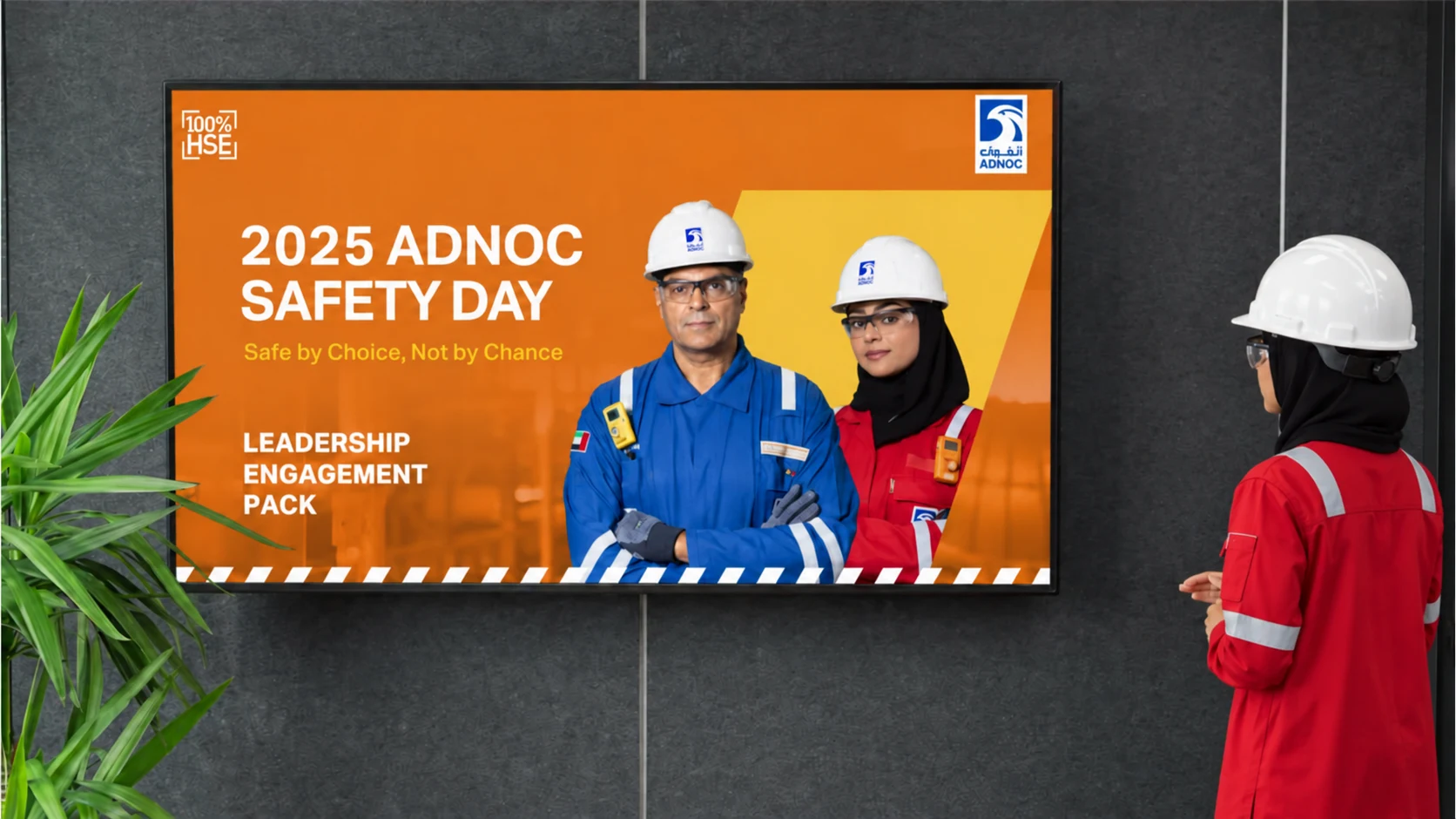
Presenting an ADNOC Safety Day engagement deck.
Services
Interactive Training
E-Learning
SCORM online modules
/services/e-learning
Scenario questions inside a client e-learning module.

Services
Interactive Training
Virtual Reality (VR)
Immersive headset training
/services/virtual-reality-vr-training
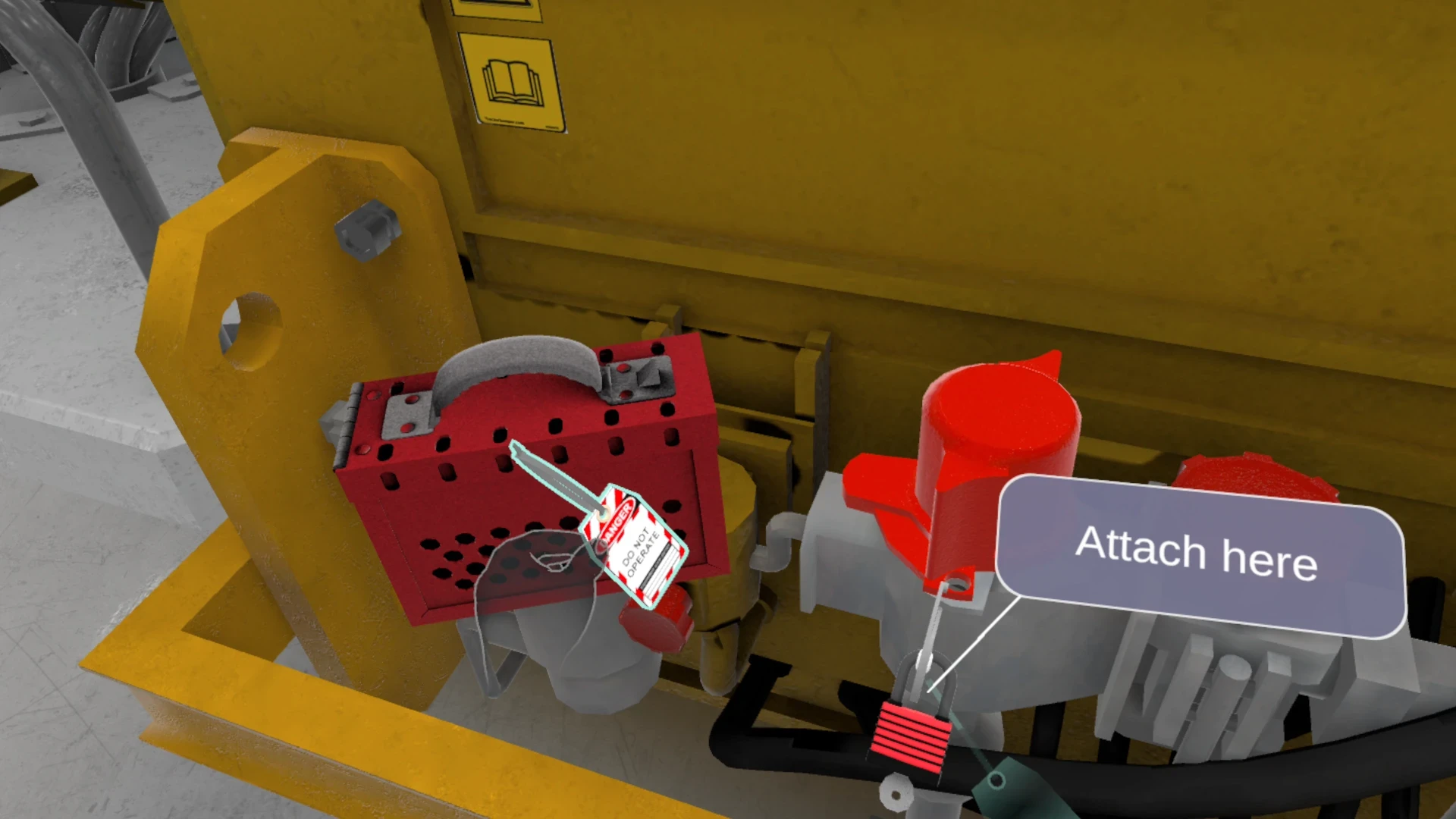
Lockout tagout training with full hand tracking in VR.
Services
Interactive Training
Flat-Screen Simulations
Desktop, web & mobile simulations
/services/flat-screen-simulation-training
SHIIFT simulations running on laptops and mobile devices.

Services
Interactive Training
Digital Twins
Navigable sites & equipment
/services/digital-twins
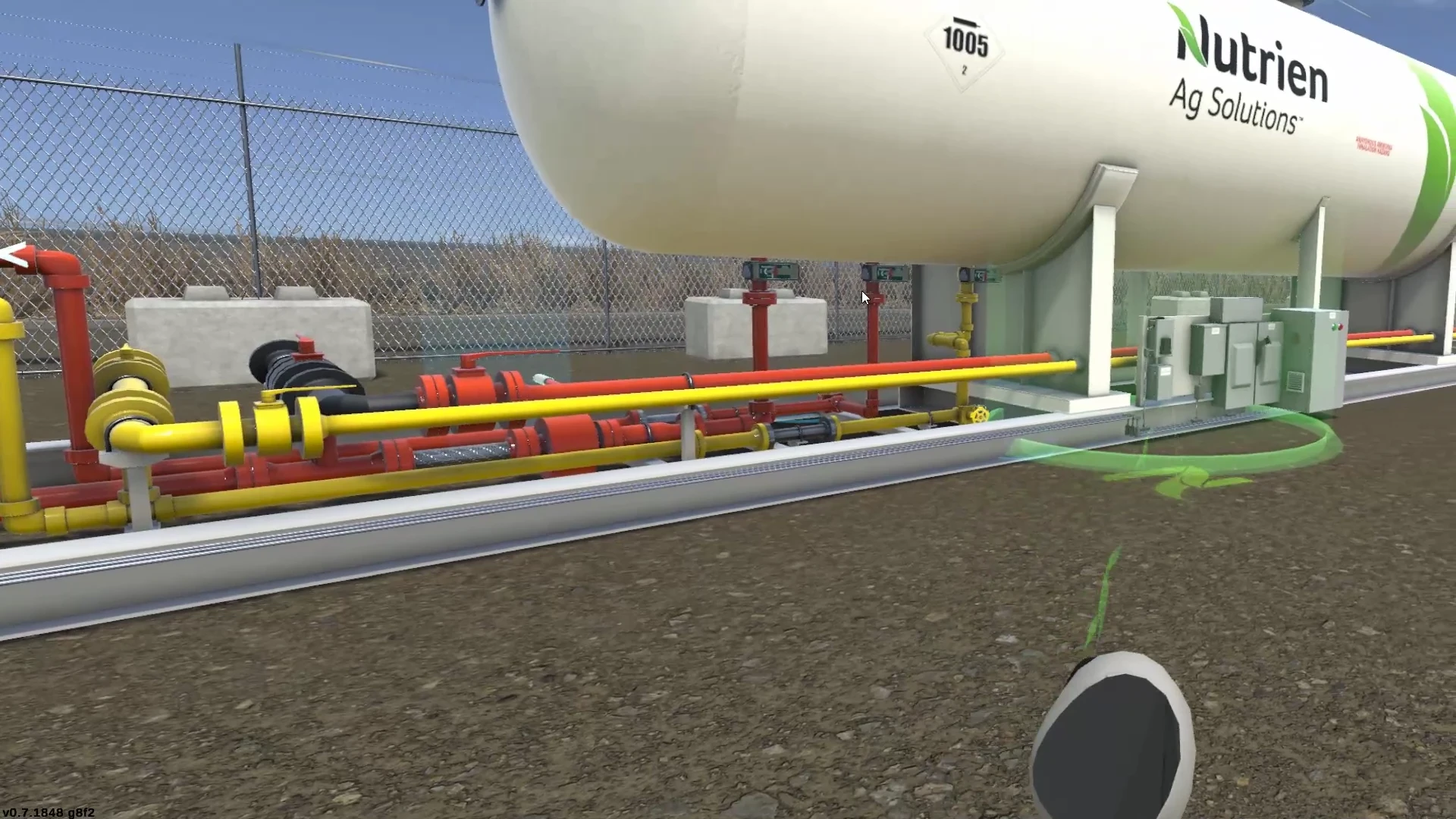
A navigable 3D replica of Nutrien's ammonia transfer plant.
Approach
How We Work
Our approach
Analysis, design, delivery, validation
/approach
Approach
How We Work
SCORM & LMS Integration
Tracking in your systems
/services/scorm-lms-integration
Approach
How We Work
Scenario-Based Assessments
Competency you can prove
/services/scenario-based-assessments