Introducing VR Training for Construction
VR Training for construction has been proven to be a fantastic tool in the industry, but it’s still not widely adopted in 2026. This can make it difficult for a construction company’s training department to visualize how their potential VR construction training might look like, which becomes a blocker for their investment.
So let’s explore some concepts to help understand what these VR trainings could look like!
List of VR Construction Training Use Cases
See below for a comprehensive list of use cases where VR training can be used in construction, with some of them linking to completed project case studies!
Safety and Compliance
Equipment Operation
- Forklift and telehandler operation
- Excavator, bulldozer, and backhoe operation
- Crane operation
- Concrete mixers and pumps
- Compactors and rollers
- Power tool operation (saws, drills, grinders)
- Hoisting and rigging operations
Construction Techniques and Skills
- Structural assembly (steel, timber, modular units)
- Masonry and bricklaying
- Concrete pouring and finishing
- Formwork installation and removal
- Welding and metal fabrication
- Plumbing and pipe installation
- Electrical system installation
- HVAC system installation
Site Management and Coordination
Emergency and Scenario-Based Training
- Equipment malfunction response
- Collapse or structural failure response
- Site-specific emergency response
- Rescue operations in confined spaces or high-risk areas
- First aid and CPR on site
As you can see from this list, there are many possibilities for what virtual reality can be used for in construction industry training, but for this article, our visualized concept will focus on:
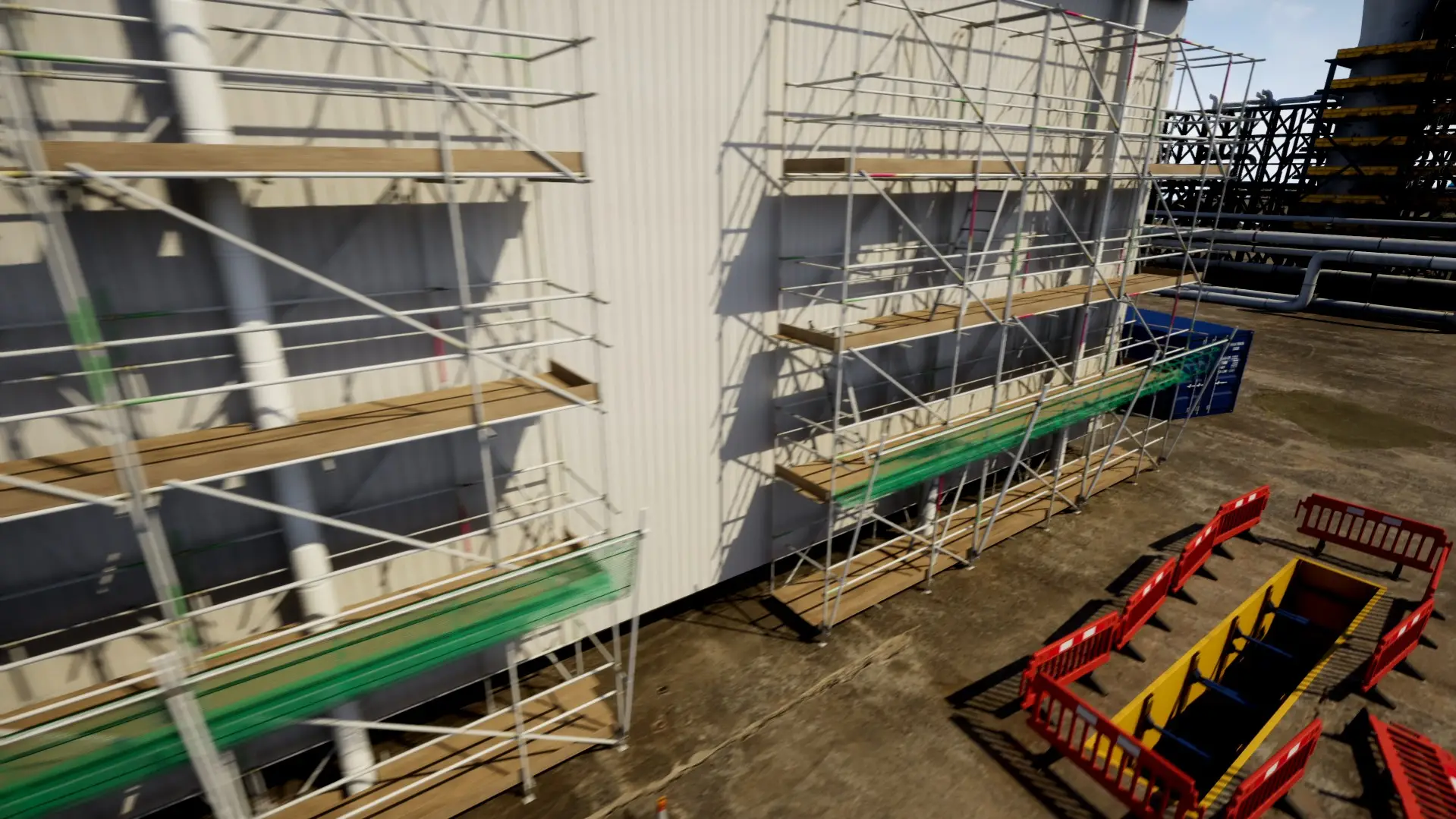
- Working at heights (scaffolding, ladders, towers) – (Featured in this article)
Working at Heights (Scaffolding, Ladders, etc) – High Level Design
Here’s what a VR Working at Height Training might look like:
Intro
- After putting on their VR headset, the user will see their surroundings change to an empty construction site
- The user would be welcomed by a virtual instructor avatar at the site, wearing a supervisor’s uniform
- Using floating textboxes and voiced dialog, the basic controls of the system would be explained to the user
- The user practices using unfamiliar VR controls before moving on to the next stage
PPE
- To begin with, the user would need to start by putting on the correct PPE, so they’d start at a PPE station.
- Helmet, harnesses, lanyards, safety gloves all need to be selected by the user.
- As the user selects each object, they will notice it on their virtual body in a mirror in front of the user.
- When the user selects their gloves, they’ll notice gloves on their hands
Entering the job site
- After putting on all their PPE, the user would be teleported into the job site at ground level using a ‘fade to black -> fade out to scene’ transition
- The scene sounds like a busy construction site and the user can see construction workers performing their tasks
- A virtual instructor tells the user to approach the ladder using the VR controls they were taught at the start
- The user approaches the ladder via teleportation controls
- The instructor explains that the user needs to first learn about ladder safety. Explains how they should first check the inspection date of the ladder by observing the label
- The inspection date is out of date, the user needs to report the ladder for inspection by filling in a virtual defect report
- The user is then teleported automatically to a different ladder, this one isn’t overdue for inspection
Climbing the ladder
- The user gets briefed on ladder safety by watching the animated instructor perform safe climbing with dialog explaining key points
- The user then climbs while visual prompts reinforce hand placement, foot positioning, and maintaining three points of contact.
Working at height
- The user and the instructor are now at height, so the instructor attaches their tie-off to a secure anchor point in front of the user
- The user is explained by the instructor on what makes an anchor point secure, how to use them, etc. and asks the user to secure their tie-off to the anchor point
- The anchor point is clearly highlighted and has a floating label that says ‘Attach here’
- The user grabs their lanyard and attaches it to the anchor point.
- The instructor goes on to explain general safety rules for working at height including never overreaching or leaning out, only working at height with a secure guardrail, always keeping tools and materials secure.
Training Ends
Key Benefits
- Training new employees to work at height isn’t engaging with traditional methods, safety rules aren’t retained in memory easily, but with the immersive experience above, the rules and guidelines won’t be forgotten so easily
- Gives opportunity for the user to practice being at height and go through the correct processes without being in any real danger
- Doesn’t require a real instructor or scaffolding to be taught on, hundreds of trainees could go through the same process unlimited times without the need to pause real work on the site
We’ve already created a work at height VR training project that shares similarities to this design concept which can help you get an even better visualization of what the training course could look like.
Design a Custom VR Training Concept With SHIIFT Training
Interested in partnering with us for a VR training solution designed specifically for your company? Schedule a meeting with us to discuss a VR training design concept tailored to your team’s needs and safety requirements.
We’ll discuss your ideas and help you figure out exactly what you need before sharing a high-level cost for your design concept, and when you’re satisfied with what you’ll be receiving, we’ll hand over to our software development team to begin building your product where you’ll have input every step of the way.